
The Sale Is Finished, but the Document Is Just Beginning: How POS Digital Receipts and E-Invoicing Should Work
A modern POS must do more than print a slip. It should create accurate receipts, structured invoices, searchable records, customer delivery choices, tax-ready data, secure archives, and reliable links to returns. Learn how to design the document workflow without turning checkout into a privacy or compliance problem.
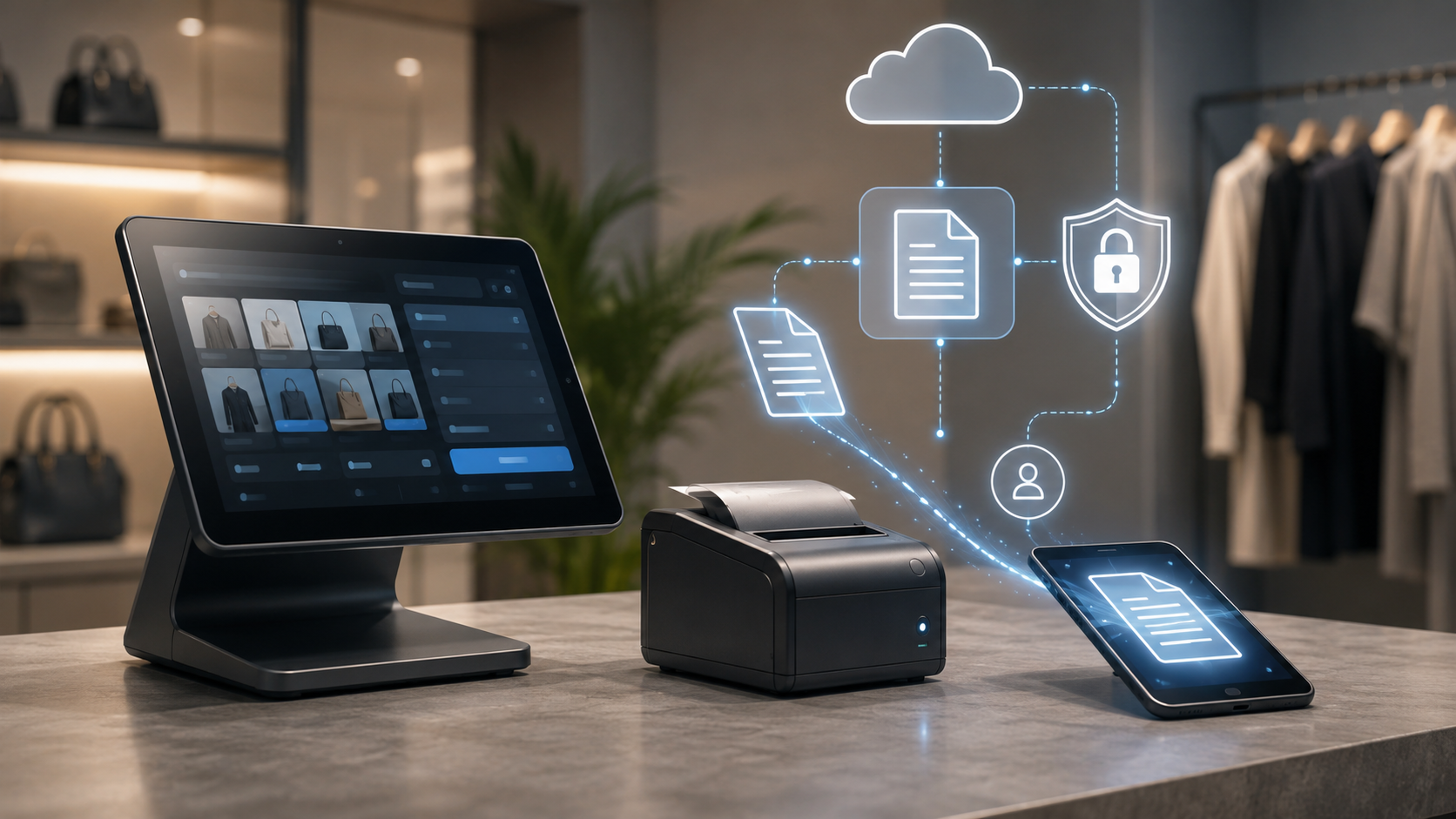
The Sale Is Finished, but the Document Is Just Beginning: How POS Digital Receipts and E-Invoicing Should Work
A modern POS must do more than print a slip. It should create accurate receipts, structured invoices, searchable records, customer delivery choices, tax-ready data, secure archives, and reliable links to returns. Learn how to design the document workflow without turning checkout into a privacy or compliance problem.
A Receipt Is Evidence, Not Decoration
A receipt proves what was sold, when it was sold, how much the customer paid, which taxes and discounts were applied, and which payment methods completed the transaction. It also supports returns, warranty claims, expense reporting, dispute resolution, and daily reconciliation.
The document should contain a stable transaction reference, seller identity, branch, date and time, itemised lines, quantities, prices, discounts, taxes, totals, tender information, and return or support instructions. The exact legal fields vary by jurisdiction, so configuration must be separated from hard-coded templates.
Consider a real checkout scenario: A receipt proves what was sold, when it was sold, how much the customer paid, which taxes and discounts were applied, and which payment methods completed the transaction. It also supports returns, warranty claims, expense reporting, dispute resolution, and daily reconciliation. Digital delivery creates privacy responsibilities. Staff should not read contact details aloud unnecessarily, reuse them for marketing without the correct permission, or expose one customer’s address on a shared screen. The POS therefore needs two layers: a human-readable document and a structured data record. Rendering can change while the underlying transaction facts remain consistent. The workflow should be tested with a paper receipt, email receipt, missing contact detail, business invoice, partial return, corrected tax field, and document reissue.
Consider a real checkout scenario: Digital records need search by receipt number, invoice number, customer where permitted, item, amount, date, branch, payment reference, tax identifier, and employee. Search speed becomes operationally important when a customer is waiting at the counter. Corrections, cancellations, exchanges, and credit notes should form a chain. Staff and finance should be able to understand the current state without deleting the earlier history. The document should contain a stable transaction reference, seller identity, branch, date and time, itemised lines, quantities, prices, discounts, taxes, totals, tender information, and return or support instructions. The exact legal fields vary by jurisdiction, so configuration must be separated from hard-coded templates. The workflow should be tested with a paper receipt, email receipt, missing contact detail, business invoice, partial return, corrected tax field, and document reissue.
Digital Delivery Should Be a Customer Choice
Customers may prefer paper, email, SMS, an app account, QR retrieval, or no receipt at all. The POS should ask clearly and avoid treating an email address or phone number as a hidden condition for completing the sale.
Digital delivery creates privacy responsibilities. Staff should not read contact details aloud unnecessarily, reuse them for marketing without the correct permission, or expose one customer’s address on a shared screen.
Consider a real checkout scenario: Digital delivery creates privacy responsibilities. Staff should not read contact details aloud unnecessarily, reuse them for marketing without the correct permission, or expose one customer’s address on a shared screen. A return should not create an isolated negative sale with no context. It should reference the original transaction, original document, returned lines, quantities, taxes, discounts, payment allocation, reason, approver, and any replacement document. Customers may prefer paper, email, SMS, an app account, QR retrieval, or no receipt at all. The POS should ask clearly and avoid treating an email address or phone number as a hidden condition for completing the sale. The workflow should be tested with a paper receipt, email receipt, missing contact detail, business invoice, partial return, corrected tax field, and document reissue.
Consider a real checkout scenario: Dashierly or any POS should connect the sale, receipt, invoice, payment, customer choice, tax record, return, and archive as one document lifecycle. The best workflow is fast for the cashier, clear for the customer, searchable for support, and reliable for finance. Compliance should not turn checkout into a long questionnaire. Collect only the data needed for the selected document type, reuse verified business details, validate required fields early, and let the system prepare complex fiscal data in the background. Compliance should not turn checkout into a long questionnaire. Collect only the data needed for the selected document type, reuse verified business details, validate required fields early, and let the system prepare complex fiscal data in the background. The workflow should be tested with a paper receipt, email receipt, missing contact detail, business invoice, partial return, corrected tax field, and document reissue.
Structured Invoices Are Different from PDF Files
A PDF invoice may look electronic, but structured e-invoicing means the data can be read and processed by another system. Buyer, seller, line items, taxes, totals, currency, identifiers, and payment references are encoded in an agreed machine-readable format.
The POS therefore needs two layers: a human-readable document and a structured data record. Rendering can change while the underlying transaction facts remain consistent.
Consider a real checkout scenario: The document should contain a stable transaction reference, seller identity, branch, date and time, itemised lines, quantities, prices, discounts, taxes, totals, tender information, and return or support instructions. The exact legal fields vary by jurisdiction, so configuration must be separated from hard-coded templates. Digital records need search by receipt number, invoice number, customer where permitted, item, amount, date, branch, payment reference, tax identifier, and employee. Search speed becomes operationally important when a customer is waiting at the counter. A receipt proves what was sold, when it was sold, how much the customer paid, which taxes and discounts were applied, and which payment methods completed the transaction. It also supports returns, warranty claims, expense reporting, dispute resolution, and daily reconciliation. The workflow should be tested with a paper receipt, email receipt, missing contact detail, business invoice, partial return, corrected tax field, and document reissue.
Consider a real checkout scenario: Corrections, cancellations, exchanges, and credit notes should form a chain. Staff and finance should be able to understand the current state without deleting the earlier history. Customers may prefer paper, email, SMS, an app account, QR retrieval, or no receipt at all. The POS should ask clearly and avoid treating an email address or phone number as a hidden condition for completing the sale. A return should not create an isolated negative sale with no context. It should reference the original transaction, original document, returned lines, quantities, taxes, discounts, payment allocation, reason, approver, and any replacement document. The workflow should be tested with a paper receipt, email receipt, missing contact detail, business invoice, partial return, corrected tax field, and document reissue.
Consider a real checkout scenario: Documents should be protected from ordinary editing after issue. Access must be role-based, exports should be logged, retention should follow local requirements, and backups should be tested rather than assumed. A receipt proves what was sold, when it was sold, how much the customer paid, which taxes and discounts were applied, and which payment methods completed the transaction. It also supports returns, warranty claims, expense reporting, dispute resolution, and daily reconciliation. Digital records need search by receipt number, invoice number, customer where permitted, item, amount, date, branch, payment reference, tax identifier, and employee. Search speed becomes operationally important when a customer is waiting at the counter. The workflow should be tested with a paper receipt, email receipt, missing contact detail, business invoice, partial return, corrected tax field, and document reissue.
Returns Must Reuse the Original Document History
A return should not create an isolated negative sale with no context. It should reference the original transaction, original document, returned lines, quantities, taxes, discounts, payment allocation, reason, approver, and any replacement document.
Corrections, cancellations, exchanges, and credit notes should form a chain. Staff and finance should be able to understand the current state without deleting the earlier history.
Consider a real checkout scenario: A PDF invoice may look electronic, but structured e-invoicing means the data can be read and processed by another system. Buyer, seller, line items, taxes, totals, currency, identifiers, and payment references are encoded in an agreed machine-readable format. Dashierly or any POS should connect the sale, receipt, invoice, payment, customer choice, tax record, return, and archive as one document lifecycle. The best workflow is fast for the cashier, clear for the customer, searchable for support, and reliable for finance. Documents should be protected from ordinary editing after issue. Access must be role-based, exports should be logged, retention should follow local requirements, and backups should be tested rather than assumed. The workflow should be tested with a paper receipt, email receipt, missing contact detail, business invoice, partial return, corrected tax field, and document reissue.
Archives Need Search, Integrity, and Access Control
Digital records need search by receipt number, invoice number, customer where permitted, item, amount, date, branch, payment reference, tax identifier, and employee. Search speed becomes operationally important when a customer is waiting at the counter.
Documents should be protected from ordinary editing after issue. Access must be role-based, exports should be logged, retention should follow local requirements, and backups should be tested rather than assumed.
Consider a real checkout scenario: Customers may prefer paper, email, SMS, an app account, QR retrieval, or no receipt at all. The POS should ask clearly and avoid treating an email address or phone number as a hidden condition for completing the sale. The document should contain a stable transaction reference, seller identity, branch, date and time, itemised lines, quantities, prices, discounts, taxes, totals, tender information, and return or support instructions. The exact legal fields vary by jurisdiction, so configuration must be separated from hard-coded templates. Corrections, cancellations, exchanges, and credit notes should form a chain. Staff and finance should be able to understand the current state without deleting the earlier history. The workflow should be tested with a paper receipt, email receipt, missing contact detail, business invoice, partial return, corrected tax field, and document reissue.
Consider a real checkout scenario: A return should not create an isolated negative sale with no context. It should reference the original transaction, original document, returned lines, quantities, taxes, discounts, payment allocation, reason, approver, and any replacement document. Documents should be protected from ordinary editing after issue. Access must be role-based, exports should be logged, retention should follow local requirements, and backups should be tested rather than assumed. Dashierly or any POS should connect the sale, receipt, invoice, payment, customer choice, tax record, return, and archive as one document lifecycle. The best workflow is fast for the cashier, clear for the customer, searchable for support, and reliable for finance. The workflow should be tested with a paper receipt, email receipt, missing contact detail, business invoice, partial return, corrected tax field, and document reissue.
Consider a real checkout scenario: Compliance should not turn checkout into a long questionnaire. Collect only the data needed for the selected document type, reuse verified business details, validate required fields early, and let the system prepare complex fiscal data in the background. The POS therefore needs two layers: a human-readable document and a structured data record. Rendering can change while the underlying transaction facts remain consistent. Digital delivery creates privacy responsibilities. Staff should not read contact details aloud unnecessarily, reuse them for marketing without the correct permission, or expose one customer’s address on a shared screen. The workflow should be tested with a paper receipt, email receipt, missing contact detail, business invoice, partial return, corrected tax field, and document reissue.
Design for Compliance Without Slowing Checkout
Compliance should not turn checkout into a long questionnaire. Collect only the data needed for the selected document type, reuse verified business details, validate required fields early, and let the system prepare complex fiscal data in the background.
Dashierly or any POS should connect the sale, receipt, invoice, payment, customer choice, tax record, return, and archive as one document lifecycle. The best workflow is fast for the cashier, clear for the customer, searchable for support, and reliable for finance.
Consider a real checkout scenario: The POS therefore needs two layers: a human-readable document and a structured data record. Rendering can change while the underlying transaction facts remain consistent. A PDF invoice may look electronic, but structured e-invoicing means the data can be read and processed by another system. Buyer, seller, line items, taxes, totals, currency, identifiers, and payment references are encoded in an agreed machine-readable format. A PDF invoice may look electronic, but structured e-invoicing means the data can be read and processed by another system. Buyer, seller, line items, taxes, totals, currency, identifiers, and payment references are encoded in an agreed machine-readable format. The workflow should be tested with a paper receipt, email receipt, missing contact detail, business invoice, partial return, corrected tax field, and document reissue.
Keep reading
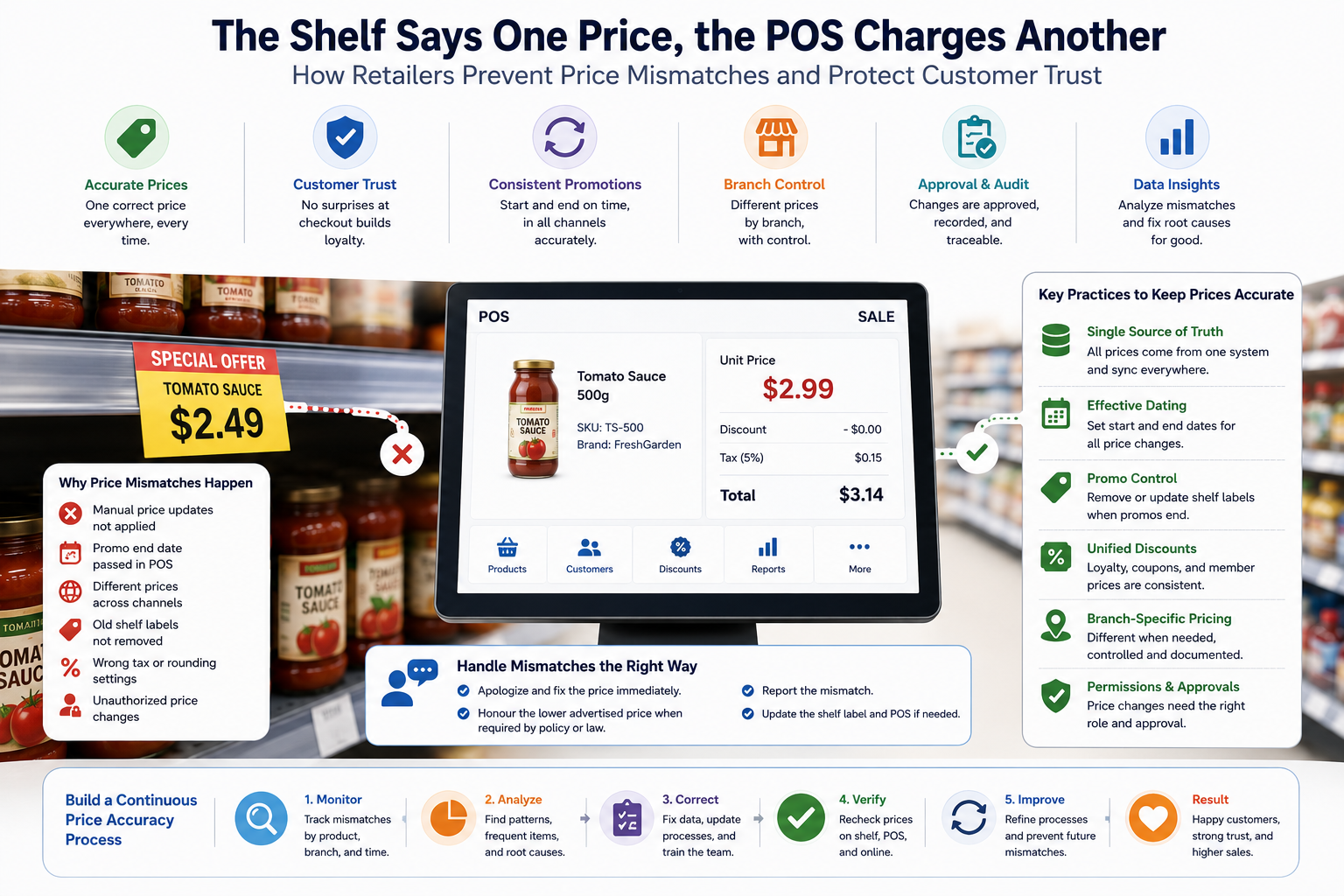
The Shelf Says One Price, the POS Charges Another: How Retailers Prevent Price Mismatches and Protect Customer Trust
Price mismatches are more than an awkward checkout moment. They create refunds, complaints, margin leakage, regulatory risk, and lost trust. Learn how a modern POS should synchronize price lists, shelf labels, promotions, branches, taxes, and approvals.
Read article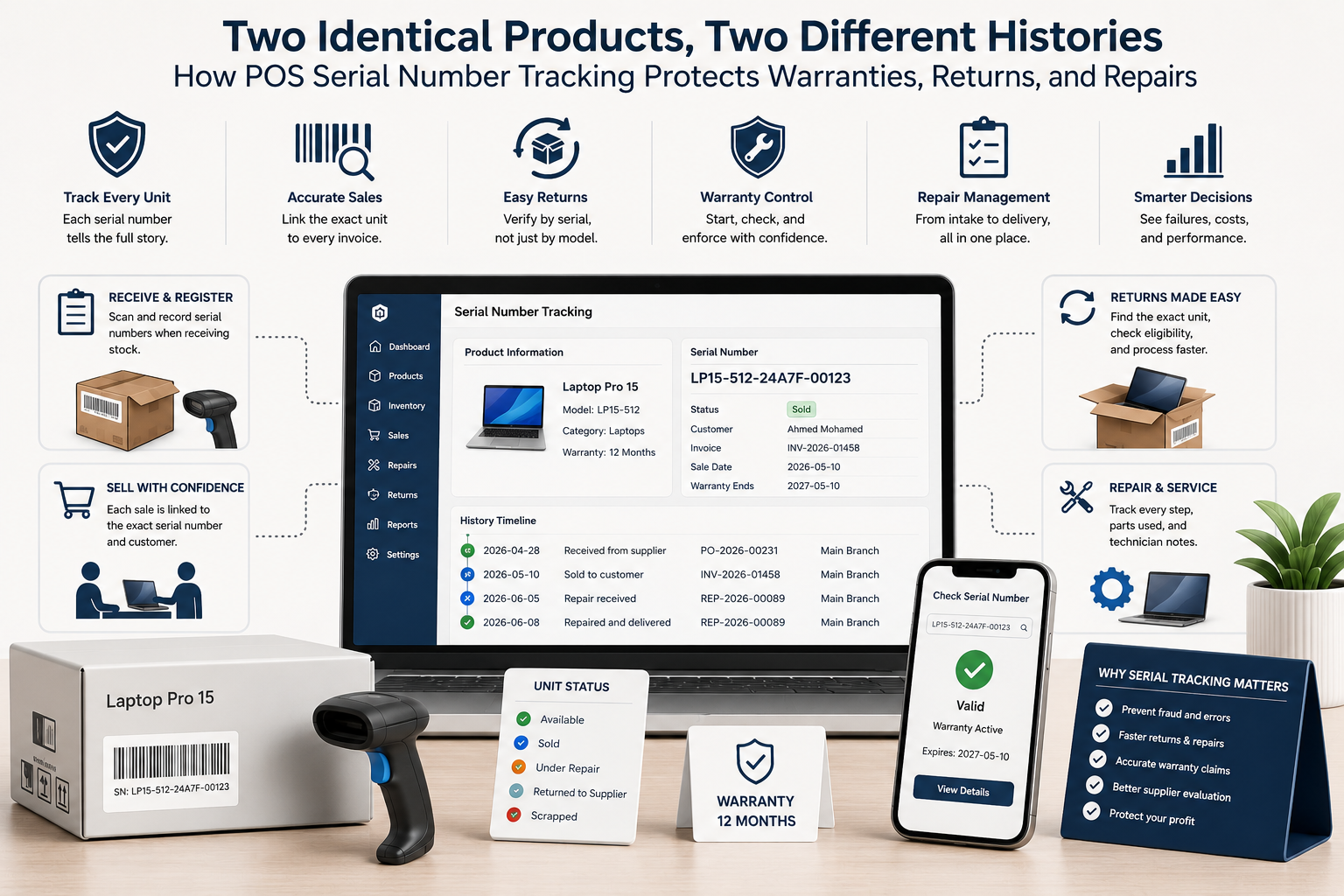
Two Identical Products, Two Different Histories: How POS Serial Number Tracking Protects Warranties, Returns, and Repairs
Quantity tracking tells you how many units exist. Serial tracking tells you exactly which unit was received, sold, returned, repaired, replaced, or still covered by warranty. Learn how a modern POS should manage serialized inventory from supplier receipt to after-sales service.
Read article
The Gift Card Was Sold Months Ago—Why Is It Still Money You Owe? How POS Systems Manage Stored Value
Gift cards and store credit bring cash in early, but they also create balances, redemption obligations, fraud risks, expiry questions, split payments, refunds, and accounting work. Learn how a modern POS should manage stored value from issue to final redemption.
Read article