01
Dashboard
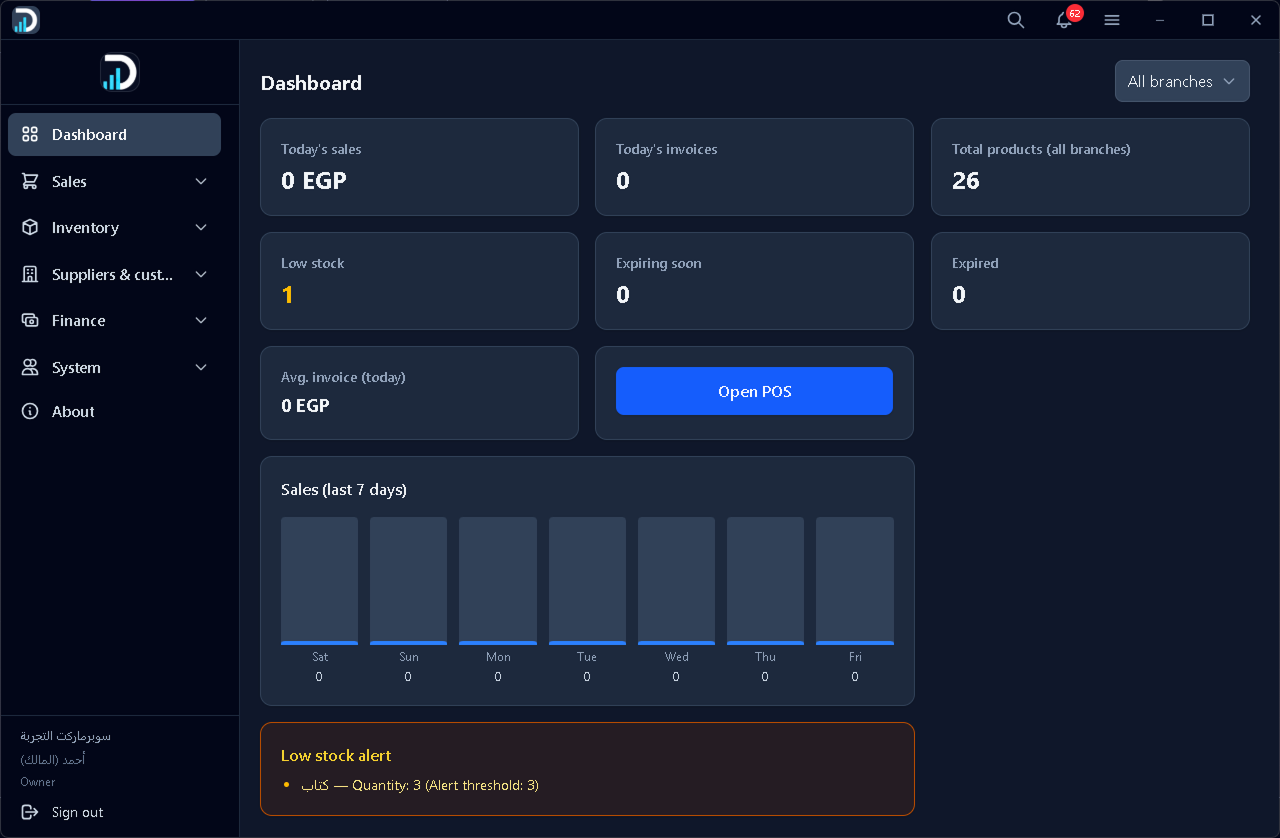
Your daily command center: today's sales and invoices, stock health (low stock, expiry), a 7-day sales chart, low-stock alerts, and a quick button to open POS. Filter by branch when you run more than one location.

App preview · Dashierly
These are real screens from Dashierly — dashboard, POS, invoices, stock, reports, alerts, and settings — with a short note on what each one is for.
These screenshots show only some parts of the app. Dashierly includes many more screens and modules (products, customers, HR, accounting, branches, audit, and more) that are not pictured here.
Each image is one area of the product. Layout and data in the shots are from a demo store and may differ in your workspace.
01
Your daily command center: today's sales and invoices, stock health (low stock, expiry), a 7-day sales chart, low-stock alerts, and a quick button to open POS. Filter by branch when you run more than one location.
02
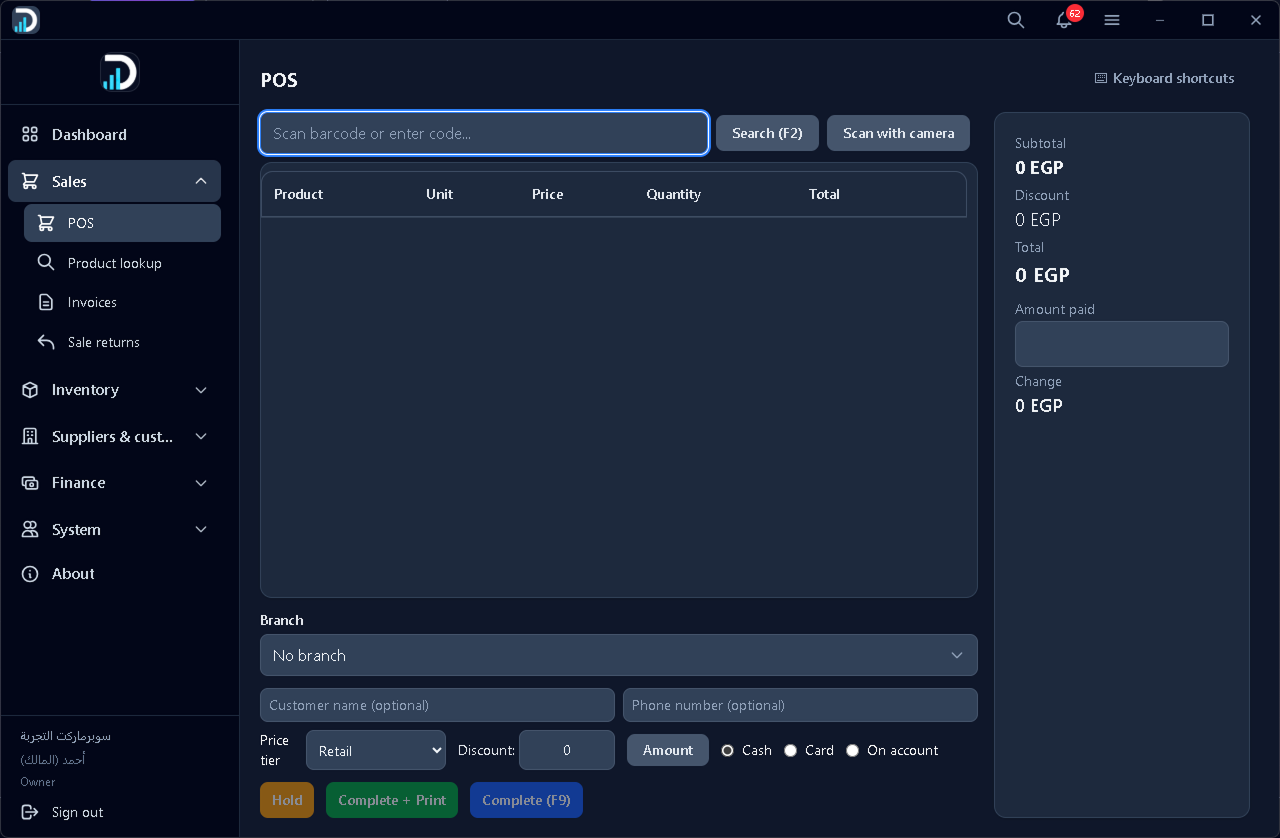
The cashier screen: scan a barcode or search products, build the cart, pick payment method (cash, card, on account), apply discounts and price tiers, then complete the sale — with live subtotal, total, paid amount, and change.
03
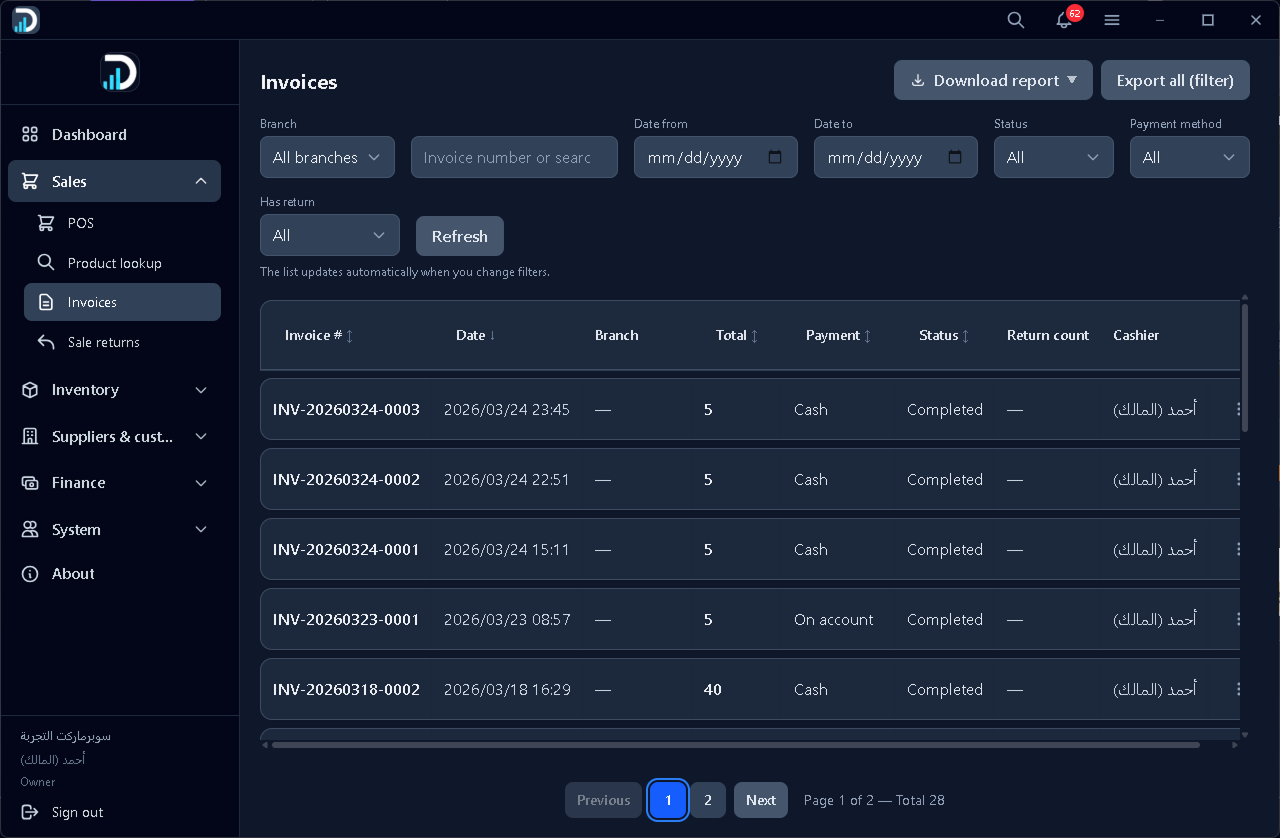
Every completed sale in one list. Filter by branch, date, status, payment method, or returns; search by invoice number; refresh or export reports for accounting and follow-up.
04
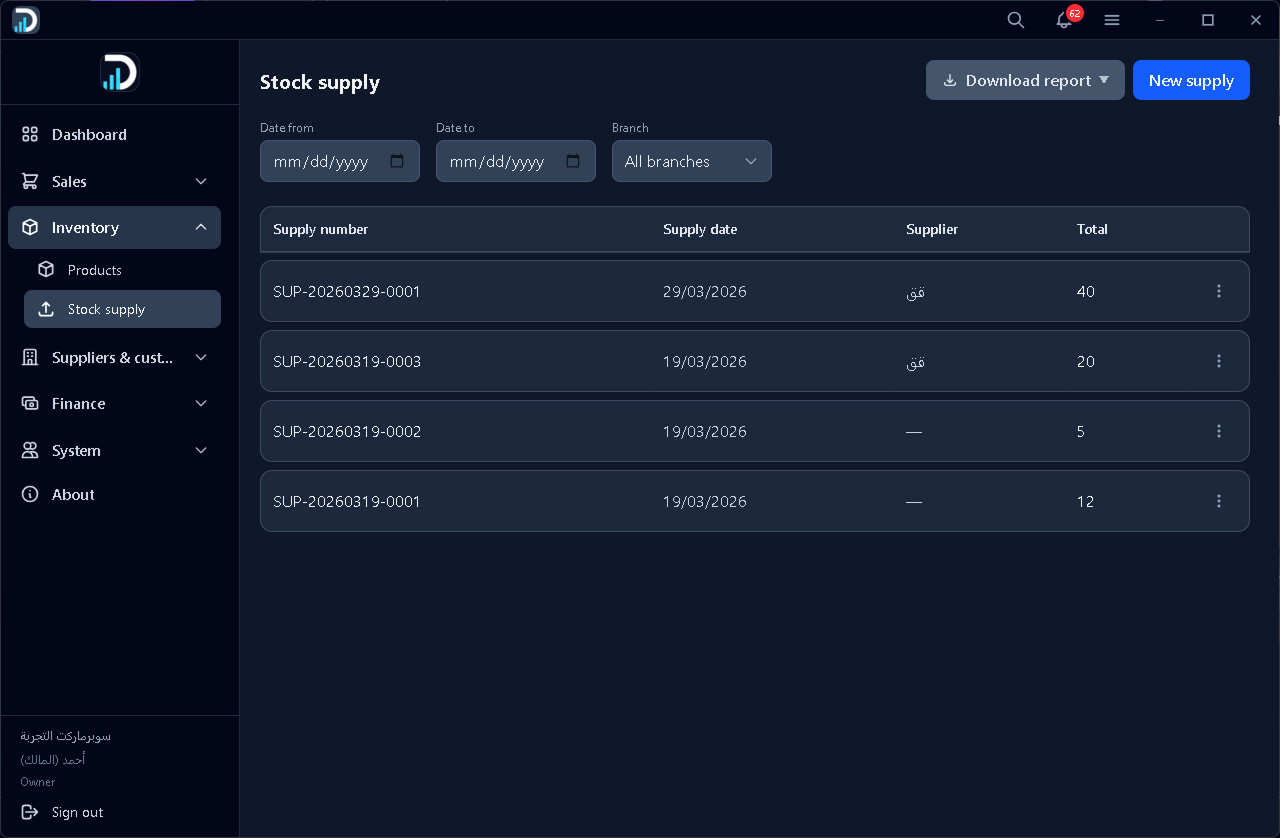
Track incoming inventory: supply number, date, supplier, and totals. Filter by date range and branch, download reports, or register a new supply to keep stock accurate.
05
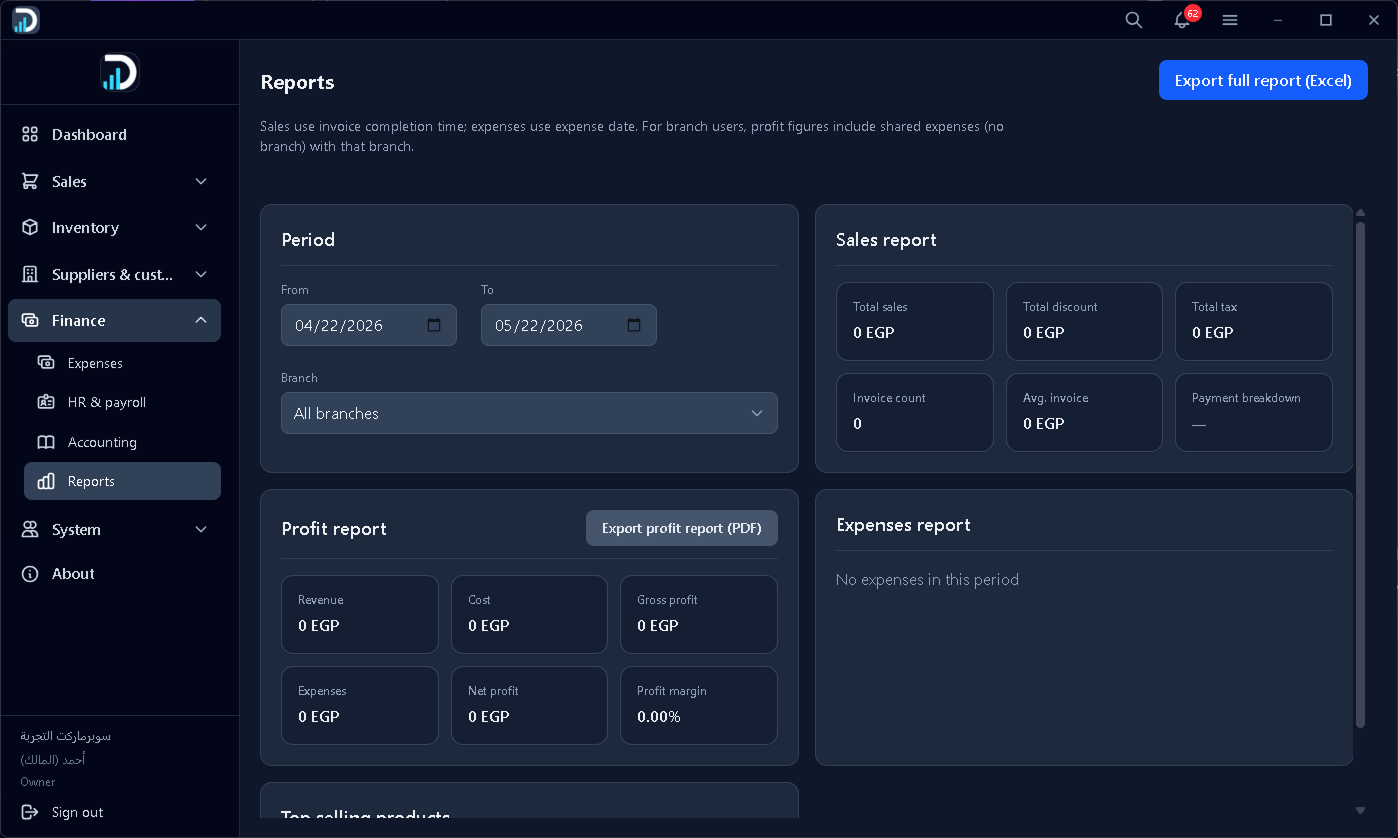
Sales, profit, and expenses in one place. Pick a period and branch, review revenue, cost, gross and net profit, margin, and top sellers — then export a full Excel report or a profit PDF.
06
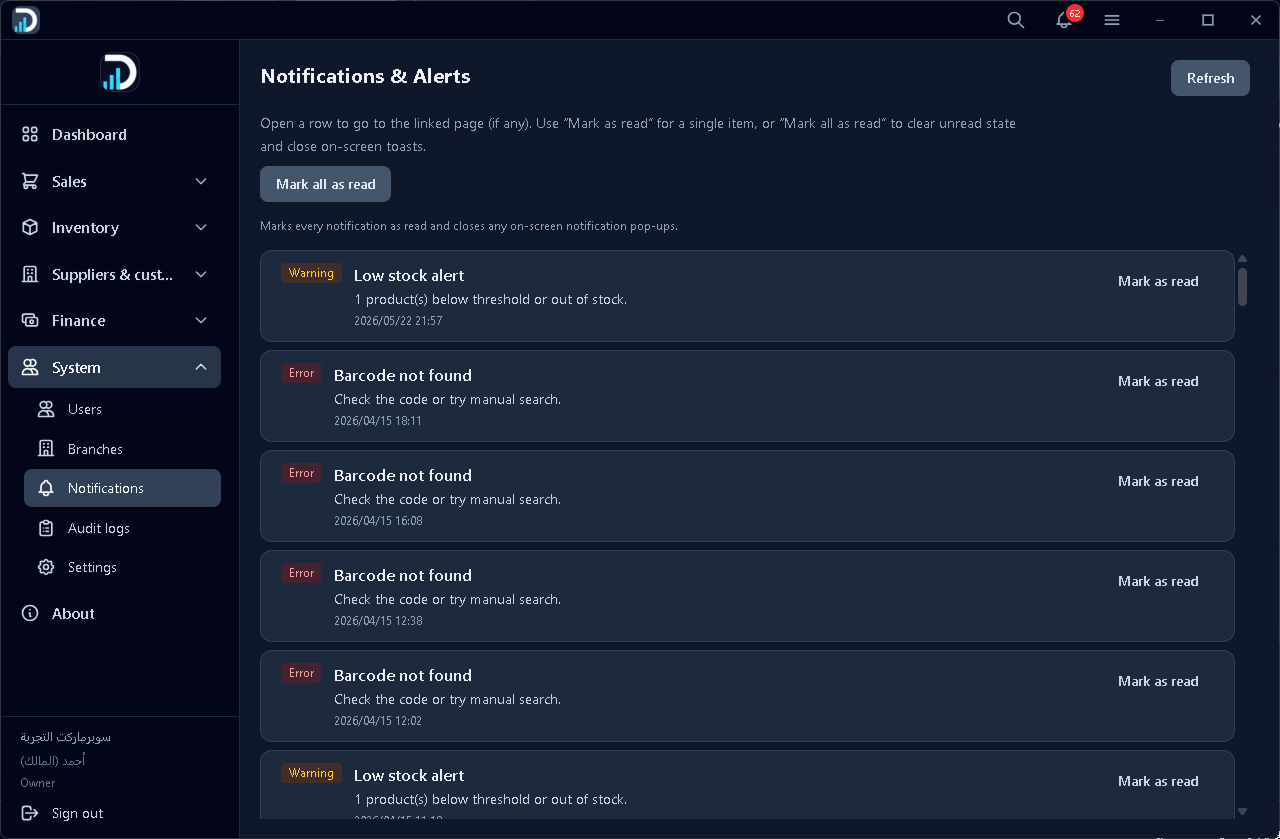
System alerts in one inbox: low stock warnings, barcode lookup errors, and similar events — tagged by severity, with timestamps and mark-as-read actions so nothing slips through.
07
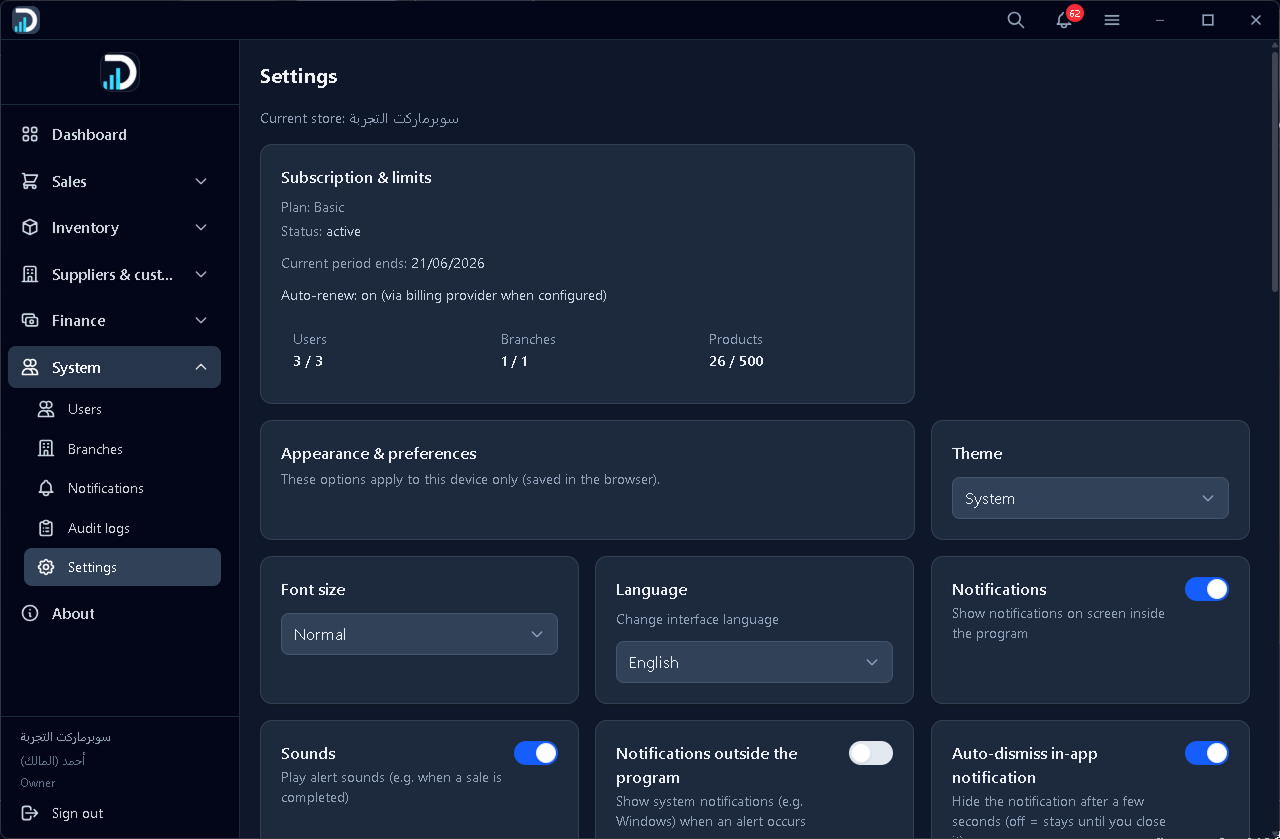
Subscription status and plan limits (users, branches, products), plus appearance and preferences: theme, font size, language, in-app and system notifications, sounds, and auto-dismiss.
Browse features, compare plans, or book a walkthrough tailored to your stores.