
What Is a POS System? A Complete Guide to Modern Retail Management with Dashierly
Discover how a modern POS system helps retail businesses manage sales, inventory, invoices, returns, suppliers, customers, accounting, employees, branches, and reports. Learn what to look for when choosing retail software and how Dashierly brings daily store operations together in one connected platform.
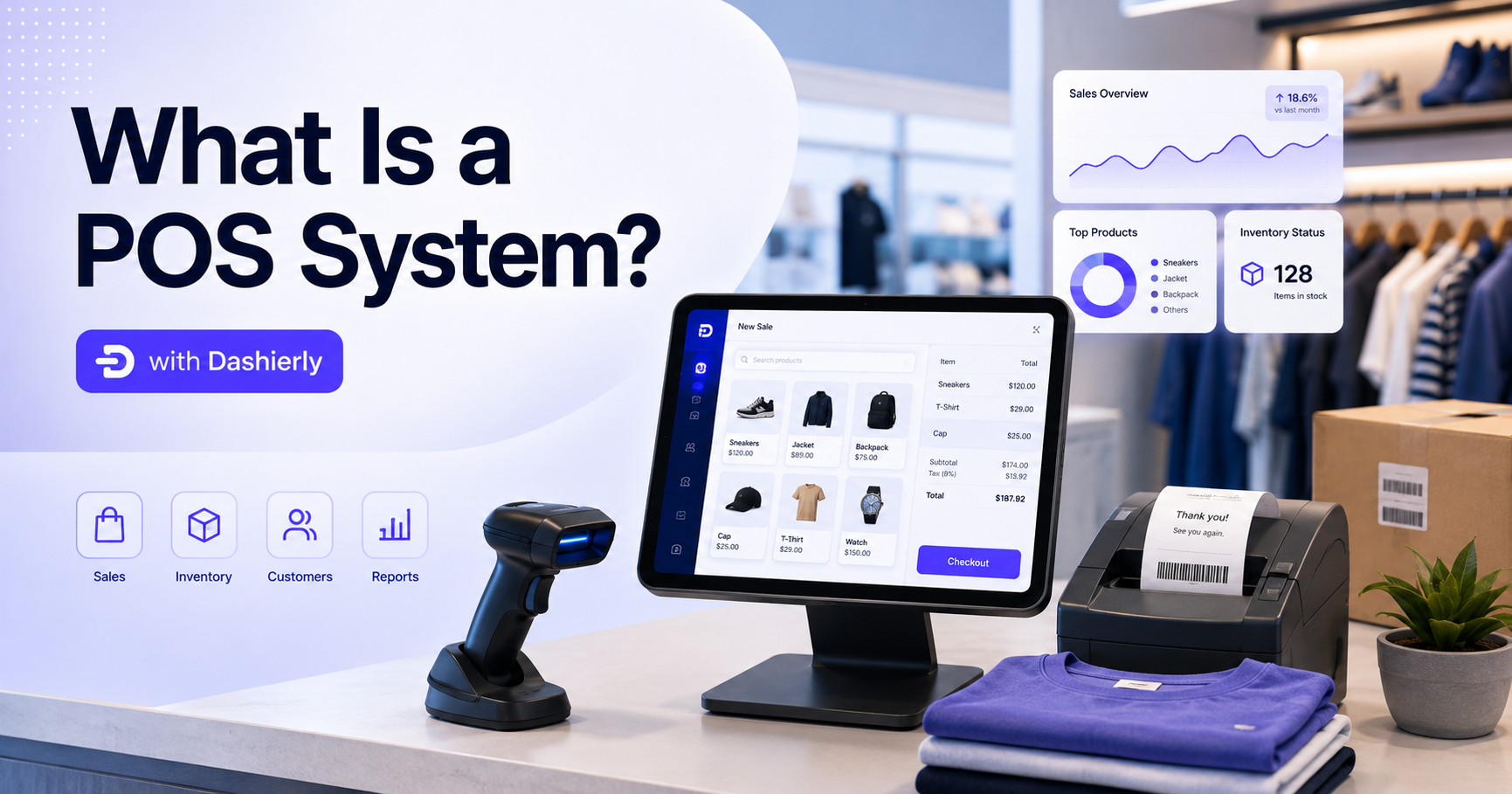
What Is a POS System? A Complete Guide to Modern Retail Management with Dashierly
Running a retail business involves much more than collecting payments at the counter. Store owners must manage products, prices, stock quantities, suppliers, customers, invoices, returns, employees, expenses, accounting records, branches, permissions, and business reports.
When these activities are handled through separate spreadsheets, paper records, disconnected applications, and manual calculations, daily operations become slower and more difficult to control. Information may be duplicated, stock numbers may become inaccurate, invoices may be difficult to find, and managers may not have a clear view of what is happening across the business.
A modern POS system solves this problem by connecting checkout activities with the rest of the store’s operations.
In this guide, we will explain what a POS system is, how point-of-sale software works, which features modern retailers should look for, and how an integrated retail management platform such as Dashierly can help stores, supermarkets, mini markets, and multi-branch businesses operate more efficiently.
What Is a POS System?
POS stands for “Point of Sale.” A POS system is the combination of software and devices used to complete sales transactions and manage related business information.
At its most basic level, a POS system allows a cashier to:
Find or scan a product.
Add the product to a sale.
Calculate the total amount.
Apply discounts when permitted.
Select a payment method.
Complete the transaction.
Print or issue an invoice or receipt.
However, modern POS software goes far beyond checkout.
A complete retail POS system can also update inventory after every sale, store invoice records, process returns, manage products and barcodes, record expenses, organize supplier information, track customer activity, control user permissions, and generate reports for owners and managers.
This means the POS is no longer only the screen used by the cashier. It becomes a central part of the entire retail operation.
How Does a POS System Work?
The POS process usually begins when a customer brings products to the checkout counter.
The cashier scans each barcode or searches for the product manually. The system retrieves the product name, selling price, tax information, and any other relevant details stored in the product catalogue.
After all products are added, the POS calculates the transaction total. The cashier may then select a payment method such as cash, card, or an on-account payment, depending on the options supported by the business.
Once the sale is completed, several actions may happen automatically:
An invoice or receipt is created.
The transaction is saved in the sales history.
Sold quantities are reflected in inventory.
Payment information is recorded.
The sale appears in dashboards and reports.
Relevant user actions may be added to the audit history.
Managers can review the transaction later.
This connected workflow reduces the need to enter the same information into several different systems.
Instead of recording the sale in one application and updating inventory manually in another file, the business can manage both processes through the same retail platform.
Why Retail Businesses Need More Than a Basic Cash Register
A traditional cash register can record totals and store cash, but it does not provide the operational visibility required by a modern retail business.
For example, a basic cash register may tell you that a cashier collected a certain amount of money. It may not tell you:
Which products were sold.
Which items are running low.
Which branch completed the transaction.
Which employee processed the sale.
Whether a discount was applied.
How the customer paid.
Whether the transaction was later returned.
How the sale affected profit and expenses.
Which products need to be reordered.
Who changed sensitive business settings.
This information is essential for making informed decisions.
A modern retail POS system creates structured records for sales and connects them with products, inventory, users, branches, invoices, returns, expenses, and reports.
The result is better visibility and less dependence on manual follow-up.
Essential Features of a Modern POS System
Not every POS solution provides the same level of functionality. Some systems focus only on checkout, while others are designed as complete retail management platforms.
When evaluating POS software, retailers should consider the following features.
1. Fast and Simple Checkout
Checkout speed directly affects the customer experience.
A POS screen should allow cashiers to scan products, change quantities, remove incorrect items, apply authorized discounts, select payment methods, and complete transactions without moving through unnecessary screens.
The interface should also be easy to learn. Retail businesses often need to onboard new cashiers quickly, especially during seasonal periods or business expansion.
A complicated system can increase training time and lead to mistakes at the counter. A clear, cashier-friendly interface helps employees focus on serving customers instead of struggling with the software.
Dashierly provides a barcode-first POS workflow designed to keep daily checkout organized and practical.
2. Barcode Scanning and Product Lookup
Barcode scanning is one of the most important POS features for supermarkets, grocery stores, mini markets, pharmacies, clothing stores, electronics shops, and other product-based businesses.
Instead of entering each product manually, the cashier scans the barcode and the system retrieves the product information.
A complete POS solution should also provide product lookup. This is helpful when:
A barcode is damaged.
A product does not have a barcode.
A cashier needs to check a price.
A staff member wants to confirm availability.
The business sells products that are easier to find by name or category.
Dashierly supports barcode-based selling and product lookup, allowing teams to find products and complete sales with fewer manual steps.
The system can also use the camera on supported Android phones and tablets as a barcode scanner. This provides a flexible option for businesses that want to operate on existing devices without purchasing dedicated scanning equipment for every workflow.
3. Inventory Management
Inventory is closely connected to sales. Every completed sale changes the quantity available in the store.
When sales and inventory are managed separately, stock records can quickly become inaccurate. Employees may forget to update spreadsheets, enter the wrong quantity, or record a stock movement twice.
An integrated POS and inventory management system helps businesses track stock activity as products are sold, supplied, or returned.
Important inventory features include:
Product quantity tracking.
Opening stock entry.
Supply and receiving records.
Low-stock alerts.
Stock movement history.
Branch-aware inventory.
Sale return adjustments.
Product and barcode management.
Inventory reports.
Dashierly connects sales with inventory activity, helping businesses understand what is available, what has been sold, and what may need to be replenished.
Low-stock notifications are particularly useful because they allow managers to react before important products disappear from the shelves.
4. Product Management
A retail POS system should provide a central product catalogue.
Depending on the type of business, a product record may include:
Product name.
Barcode.
Selling price.
Purchase or cost information.
Current stock.
Category.
Branch availability.
Tax settings.
Product status.
Additional notes or identifiers.
Keeping product information in one structured catalogue helps ensure that cashiers, managers, and branch employees use consistent prices and product details.
It also reduces pricing disputes and makes it easier to onboard new team members.
With Dashierly, businesses can load their products, barcodes, prices, and opening stock into a connected retail workspace used across daily sales and management activities.
5. Invoice and Receipt Management
A completed transaction should create a record that can be reviewed later.
Retail businesses may need to find a previous invoice for many reasons, including:
Reprinting a receipt.
Reviewing a payment.
Handling a customer question.
Processing a return.
Checking the cashier who completed the sale.
Confirming the date and time of a transaction.
Reviewing the products included in an order.
Searching through paper receipts is slow and unreliable. A POS system with organized invoice management makes it easier to search for and review past transactions.
Dashierly allows users to maintain structured sales and invoice records so authorized staff can locate transaction details and reprint documents when necessary.
6. Sale Returns
Returns are a normal part of retail operations, but they must be handled carefully.
A return affects more than the amount paid by the customer. It may also affect:
Product stock.
Sales totals.
Payment records.
Cash reconciliation.
Financial reports.
Employee activity history.
If returns are managed through manual stock edits, the business may lose traceability and create inaccurate reports.
An integrated return process keeps the financial and inventory impact connected to the original retail workflow.
Dashierly includes sale return functionality so businesses can process returned products while maintaining clearer stock and transaction records.
7. Suppliers and Purchasing
Retail stores depend on suppliers to maintain product availability.
A complete retail management system should help organize supplier records and stock supply activity. This provides a clearer connection between the products entering the business and the products later sold to customers.
Supplier management may include:
Supplier names and contact information.
Product supply records.
Purchasing context.
Received quantities.
Supply dates.
Branch receiving information.
Notes and transaction history.
When supplier information is kept beside inventory records, employees can follow up more efficiently and managers gain better visibility into incoming stock.
Dashierly includes supplier and stock supply tools as part of the same system used for sales and inventory.
8. Customer Management
Not every retail transaction requires detailed customer information, but customer records can be valuable for many businesses.
Customer management can help with:
Reviewing purchase history.
Managing on-account payments.
Supporting customer service requests.
Finding previous invoices.
Organizing follow-up activities.
Understanding frequent customer behavior.
Preparing future loyalty or communication workflows.
Dashierly connects customer records with retail activity, giving authorized employees a clearer view of relevant sales history and customer information.
9. Expense Tracking
Sales revenue alone does not provide a complete picture of business performance.
Retail businesses also pay for rent, utilities, transportation, maintenance, salaries, packaging, supplies, marketing, and other operating costs.
When expenses are kept in separate notebooks or spreadsheets, owners may see strong sales totals without understanding the actual financial position of the business.
A retail management system with expense tracking helps businesses record outgoing costs beside sales activity.
Dashierly includes expense management so owners and managers can maintain a clearer view of money entering and leaving the business.
10. Accounting Features
As a retail business grows, it needs more than daily sales totals. It also needs structured financial records.
Accounting features may include:
Chart of accounts.
Journal entries.
Trial balance.
Expense records.
Revenue-related information.
Financial reports.
Payment breakdowns.
Structured transaction history.
Connecting accounting workflows with sales and expenses can reduce duplicate data entry and provide better visibility at the end of the month.
Dashierly includes accounting and general ledger functionality alongside its POS, inventory, expense, and reporting modules.
This allows businesses to manage important financial workflows without separating daily retail operations from the records required by owners and accounting teams.
11. Employees, HR, and Payroll Workflows
Retail businesses depend on cashiers, store managers, supervisors, stock employees, accountants, and administrative staff.
Employee information is often managed separately from store operations. However, bringing HR-related workflows into the same platform can make daily administration easier.
Useful HR features may include:
Employee records.
Role information.
Payroll-related workflows.
Staff organization.
Operational employee data.
Access assignments.
Dashierly includes an HR workspace and payroll-related functionality, helping businesses manage people and retail operations through one connected system.
12. Roles and Permissions
Not every employee should have access to every part of the system.
For example:
A cashier may need access to the POS but not accounting settings.
A stock employee may need inventory access but not payroll records.
A manager may need reports and returns.
An owner may need complete access across branches.
An accountant may need financial modules without cashier controls.
Role-based access allows each person to use the tools required for their responsibilities.
This reduces confusion and protects sensitive business information.
Dashierly supports structured access for owners, administrators, managers, and cashiers. Businesses can give employees the appropriate level of access instead of sharing one unrestricted account across the entire team.
13. Audit Logs
Permissions control what employees are allowed to do. Audit logs help show what they actually did.
An audit trail can provide accountability for sensitive actions such as:
Changing business settings.
Updating products.
Processing returns.
Modifying records.
Managing users.
Performing administrative actions.
Without an audit history, it may be difficult to understand how or when important information was changed.
Dashierly includes audit logs that help authorized managers review sensitive activity across the platform.
This is especially valuable for growing businesses where several employees interact with sales, stock, finance, and administrative records.
14. Reports and Business Dashboards
A POS system collects a large amount of operational data. Reports turn that data into information that owners and managers can use.
Retail reports may include:
Daily sales summaries.
Sales over a selected period.
Payment method breakdowns.
Invoice activity.
Product performance.
Stock reports.
Low-stock items.
Branch comparisons.
Expense summaries.
Return activity.
Employee or cashier activity.
Financial information.
A dashboard provides a faster overview of the most important signals without requiring the owner to export everything into a separate business intelligence tool.
Dashierly includes dashboards, reports, and key performance views across sales, products, stock, expenses, and other retail operations.
Instead of waiting until the end of the month to discover a problem, managers can review business activity more regularly.
15. Multi-Branch Management
Managing one store is different from managing several locations.
A multi-branch retail business needs to know:
Which branch completed each sale.
How stock differs between locations.
Which users belong to each branch.
How branch performance compares.
Where products need replenishment.
Which activities happened at each location.
Using a completely separate system for every branch can create fragmented data and inconsistent processes.
A multi-branch POS system allows the business to manage several locations under one account while maintaining branch-aware data.
Dashierly supports branches, branch activity, users, permissions, and reporting from a central retail platform. This makes it suitable for businesses that operate one store today but expect to expand in the future.
16. Notifications and Low-Stock Alerts
Managers cannot manually review every screen throughout the day.
Notifications help bring important events and exceptions to their attention.
For example, a system may alert users about:
Products reaching low-stock levels.
Important operational changes.
Business events requiring review.
Account or subscription information.
Activities relevant to a manager’s responsibilities.
Dashierly provides in-app notifications so authorized team members can see important updates without repeatedly opening every report.
17. Support for Windows, macOS, and Android
Retail businesses have different device requirements.
A supermarket may use desktop computers at fixed checkout counters. A small shop may prefer an Android tablet. A warehouse employee may need to check products using a mobile phone. An owner may want to manage business information from an office computer.
Dashierly supports Windows, macOS, and Android, allowing businesses to use the platform across checkout counters, office computers, tablets, and mobile devices.
Desktop applications are suitable for permanent counters and office workflows, while Android devices provide greater mobility for product lookup, stock tasks, receiving, and mobile selling.
This multi-platform approach also helps businesses use devices they already own instead of purchasing specialized hardware for every employee.
What Is a Mobile POS System?
A mobile POS system allows businesses to complete sales or perform retail tasks using a phone or tablet.
Mobile POS software can be useful for:
Small counters.
Pop-up stores.
Exhibitions.
Temporary sales locations.
Shop-floor employees.
Stock receiving.
Product lookup.
Businesses with limited space.
Retailers that do not want to purchase a desktop computer for every station.
With Dashierly on Android, supported phones and tablets can be used for POS and stock-related workflows. The device camera can also be used for barcode scanning.
This gives businesses more flexibility while keeping mobile activity connected to the same product, inventory, sales, and management data.
POS System for Supermarkets and Mini Markets
Supermarkets and mini markets require fast checkout and strong inventory control.
They often manage:
Large product catalogues.
High daily transaction volumes.
Barcode-based products.
Frequent stock receiving.
Multiple cashiers.
Product returns.
Low-stock risks.
Supplier relationships.
Expenses and operational costs.
Different employee access levels.
A supermarket POS system must remain simple for the cashier while providing deeper management tools for owners and supervisors.
Dashierly is designed to support barcode-heavy retail environments. It combines checkout with inventory, supply, invoices, returns, suppliers, customers, expenses, accounting, HR, reports, branches, notifications, and audit history.
This allows the cashier to focus on selling while management retains visibility into the wider operation.
POS System for Small Shops
Small businesses may assume that advanced retail management software is only necessary for large supermarkets. In reality, smaller stores can benefit significantly from replacing manual processes early.
A small shop may use a POS system to:
Organize products and prices.
Reduce checkout mistakes.
Track stock automatically.
Find previous invoices.
Record expenses.
Identify low-stock products.
Control employee access.
Review daily sales.
Prepare for future growth.
Starting with an organized system also prevents the business from becoming dependent on scattered spreadsheets as the number of products, employees, and transactions increases.
Dashierly can support small retail businesses that want a practical checkout system today and broader operational tools as they grow.
How to Choose the Right POS System
Choosing a POS system should not depend only on the appearance of the checkout screen.
Businesses should evaluate how the software will support the full retail cycle.
Before selecting a system, ask the following questions:
Is the POS easy for cashiers to use?
A well-designed POS should minimize unnecessary steps and reduce training time.
Does the system support barcode scanning?
Barcode support is essential for fast, accurate product entry in many retail environments.
Does inventory update with sales activity?
Integrated inventory reduces manual work and helps maintain more accurate stock records.
Can the system manage supply and receiving?
Retailers need to record products entering the business, not only products leaving through sales.
Are invoices easy to search and reprint?
The business should be able to find transaction records when customers or managers need them.
Does the system process returns correctly?
Returns should affect both transaction records and stock activity.
Can it manage several users and permission levels?
Each employee should receive access that matches their job.
Does it support multiple branches?
Even a single-store business should consider whether the system can support expansion.
Are reports included?
Owners need useful summaries of sales, stock, expenses, and performance.
Does it support the devices used by the business?
The software should work with the store’s preferred desktop or mobile environment.
Can data be migrated from an older system?
Moving products, stock quantities, and key records manually can delay adoption.
Does the system include support and onboarding?
Technology is only useful when the team understands how to use it in daily operations.
Moving from Spreadsheets or Legacy POS Software
Many retailers continue using old POS applications or spreadsheets because they are concerned about migration.
Common concerns include:
Re-entering thousands of products.
Losing historical information.
Interrupting daily sales.
Training employees.
Configuring barcodes and prices.
Moving stock quantities.
Setting up branches and users.
A structured onboarding process can make the transition easier.
Dashierly provides migration assistance for businesses moving from older software or spreadsheets. Products, stock levels, and key records can be prepared for import as part of the onboarding process.
The rollout can then be organized around the store’s actual workflow, including products, branches, users, permissions, checkout, inventory, and reporting.
Introducing Dashierly: More Than a POS System
Dashierly is an all-in-one POS and retail management system designed for stores, supermarkets, mini markets, grocery businesses, and multi-branch retailers.
Instead of treating checkout, inventory, accounting, HR, and reporting as disconnected activities, Dashierly brings them together in one retail workspace.
The platform includes:
Barcode-based POS checkout.
Product management.
Inventory tracking.
Low-stock alerts.
Stock supply and receiving.
Invoice management.
Sale returns.
Customer records.
Supplier records.
Expense management.
Accounting and general ledger tools.
HR and payroll-related workflows.
Reports and dashboards.
Branch management.
Roles and permissions.
Notifications.
Audit logs.
Windows support.
macOS support.
Android support.
Camera-based barcode scanning.
Data migration assistance.
This broader operational coverage makes Dashierly more than cashier software. It is designed to support the daily work that happens before, during, and after a sale.
How a Typical Retail Day Works with Dashierly
A retail workflow in Dashierly can begin before the first customer arrives.
Managers can review stock alerts, check important notifications, confirm user access, and prepare the correct branch or store environment.
During checkout, the cashier scans a barcode or searches for the product. Dashierly retrieves the product details and adds it to the transaction.
The cashier can adjust quantities, apply permitted discounts, and select the appropriate payment method. When the sale is completed, an invoice record is created and the transaction becomes available for future review.
Inventory activity reflects the products sold, allowing managers to monitor quantities and respond to low-stock items.
When new products arrive, employees can record supply activity and connect received stock with products and branches.
If a customer returns an item, the return can be processed through the retail system so the transaction and stock impact remain organized.
Throughout the day, owners and managers can review dashboards, invoices, expenses, stock activity, employee access, notifications, reports, and audit records.
At the end of the day, the business has more than a cash total. It has a structured view of what was sold, how customers paid, which products moved, what may need replenishment, which expenses were recorded, and what happened across the team.
Benefits of Using an Integrated Retail Management System
The main advantage of an integrated POS system is not simply having more features. The real advantage is that the features work from the same business information.
When sales, stock, customers, suppliers, expenses, accounting, employees, and branches are connected, the business can reduce duplicate work.
Potential benefits include:
Faster checkout.
Fewer manual stock updates.
More organized invoice history.
Better visibility into low-stock products.
Clearer employee permissions.
Easier branch management.
Improved accountability through audit logs.
More structured expense records.
Better access to sales and business reports.
Less dependence on spreadsheets.
Easier onboarding for new employees.
Greater flexibility across desktop and mobile devices.
A clearer path for business growth.
The objective is not to add complexity. It is to replace disconnected processes with one consistent workflow.
Common POS System Mistakes to Avoid
Businesses should avoid choosing software based only on price or a short demonstration.
Some common mistakes include:
Choosing a system that only handles checkout
The business may later need inventory, suppliers, expenses, reporting, or branch management and discover that the software cannot expand.
Ignoring employee permissions
Sharing one administrator account across the team creates security and accountability problems.
Keeping inventory in a separate spreadsheet
This increases manual work and makes stock differences more likely.
Failing to plan data migration
Product and stock preparation should be part of the rollout, not an afterthought.
Selecting software that does not support business devices
The system should fit the store’s checkout counters, office computers, and mobile workflows.
Ignoring training and onboarding
Even good software can fail when employees are not shown how to use it correctly.
Focusing only on today’s requirements
The selected POS should also support additional users, products, branches, and operational complexity as the business grows.
The Future of POS Software
The role of POS software continues to expand.
Retailers increasingly expect one platform to connect checkout, inventory, payments, purchasing, customers, financial records, communication tools, and business analysis.
Mobile devices are also becoming more important. Employees may use phones and tablets for barcode scanning, stock checks, receiving, product lookup, and mobile sales.
At the same time, owners expect access to clearer reports, stronger integrations, messaging workflows, accounting exports, and improved operational visibility.
Dashierly is being developed around this broader view of retail software: keeping checkout fast while expanding the tools available to owners, managers, stock teams, accountants, and administrators.
Frequently Asked Questions About POS Systems
What does POS mean?
POS means Point of Sale. It refers to the place and system where a customer completes a purchase.
Is a POS system only used to collect payments?
No. Modern POS software can also manage products, inventory, invoices, returns, customers, suppliers, expenses, employees, accounting, branches, and reports.
Can a POS system track inventory?
Yes. An integrated POS and inventory system can reflect sales in stock activity and help managers monitor quantities and low-stock products.
Can Dashierly work on a mobile phone?
Dashierly supports Android phones and tablets in addition to Windows and macOS devices.
Can a phone camera scan product barcodes?
Dashierly supports camera-based barcode scanning on compatible Android devices, allowing the phone or tablet to function as a mobile scanner.
Is Dashierly suitable for supermarkets?
Yes. Dashierly is designed for supermarkets, mini markets, grocery stores, shops, and other barcode-based retail businesses.
Can Dashierly manage more than one branch?
Yes. Dashierly includes multi-branch functionality with branch-aware users, data, activity, and reporting.
Does Dashierly include accounting?
Dashierly includes accounting features such as a chart of accounts, journal entries, trial balance, expenses, and structured financial workflows.
Does Dashierly include HR features?
Yes. Dashierly provides an HR workspace and payroll-related functionality alongside retail operations.
Can users have different access permissions?
Yes. Owners, administrators, managers, and cashiers can receive access based on their responsibilities.
Can I move data from an older POS system?
Dashierly provides migration assistance for products, stock quantities, and key records during onboarding.
Does Dashierly support returns?
Yes. Sale returns can be processed while maintaining their connection to stock and transaction activity.
Final Thoughts
A POS system should help a business understand more than how much money entered the cash drawer.
The right system connects each sale with products, stock, invoices, customers, suppliers, employees, expenses, accounting records, branches, notifications, and reports.
For small shops, this creates a stronger foundation for growth. For supermarkets and high-volume retailers, it improves checkout efficiency and inventory visibility. For multi-branch businesses, it provides more consistent control across locations.
Dashierly is built around this complete view of retail operations.
It combines a fast, barcode-friendly POS with inventory management, supply records, invoices, returns, suppliers, customers, expenses, accounting, HR, reports, branch control, user permissions, notifications, and audit history.
The system is available across Windows, macOS, and Android, giving businesses the flexibility to work from fixed checkout counters, office computers, phones, or tablets.
Instead of connecting several unrelated applications or updating spreadsheets after closing time, retailers can use one platform to manage the flow from shelf to checkout, from checkout to inventory, and from daily transactions to business reports.
For retail businesses looking to replace manual work, legacy software, or disconnected tools, Dashierly provides a modern foundation for managing sales, stock, finance, employees, and future growth from one connected retail management system.
Keep reading
The Gift Card Was Sold Months Ago—Why Is It Still Money You Owe? How POS Systems Manage Stored Value
Gift cards and store credit bring cash in early, but they also create balances, redemption obligations, fraud risks, expiry questions, split payments, refunds, and accounting work. Learn how a modern POS should manage stored value from issue to final redemption.
Read article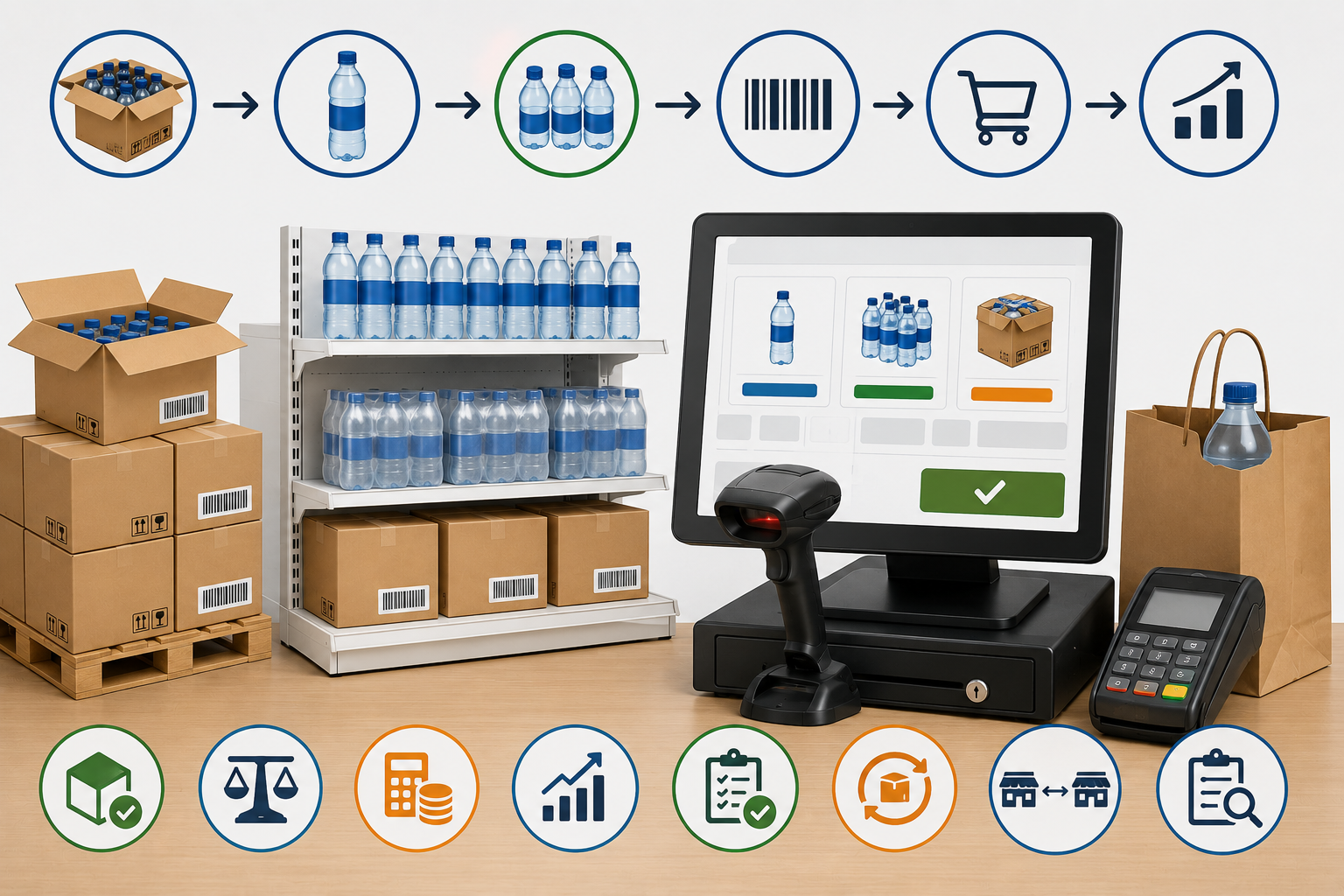
You Bought a Case of 24 but Sold One Bottle: How POS Units of Measure Prevent Inventory and Pricing Errors
Retailers often buy products by case, receive them by pack, and sell them individually. Learn how POS unit-of-measure rules, barcode mapping, cost conversion, stock counts, returns, and purchasing controls prevent quantity and margin errors.
Read article
The Register Is Short—But Where Did the Money Go? A Practical POS Guide to Cash Drawers and Payment Reconciliation
A cash difference at closing does not automatically mean theft. Learn how POS register sessions, floats, paid-in and paid-out movements, refunds, tips, card settlements, and clear accountability help retailers reconcile every payment method.
Read article